
If you’re lucky, in the months leading up to your cruise, the cruise line will run a sale on pre-cruise purchases such as beverage packages, specialty dining, and shore excursions. This post will talk specifically about Royal Caribbean, but the same principle applies to all lines: When the price of something you’ve already purchased drops, the only way to get the new price is to cancel the previous purchase and re-purchase at the lower price.
The first step is to find the place on the site where you can see your prior purchases. On Royal Caribbean, this is called your “Order History” and you’ll see it when you click on your initials at the top right of the screen.
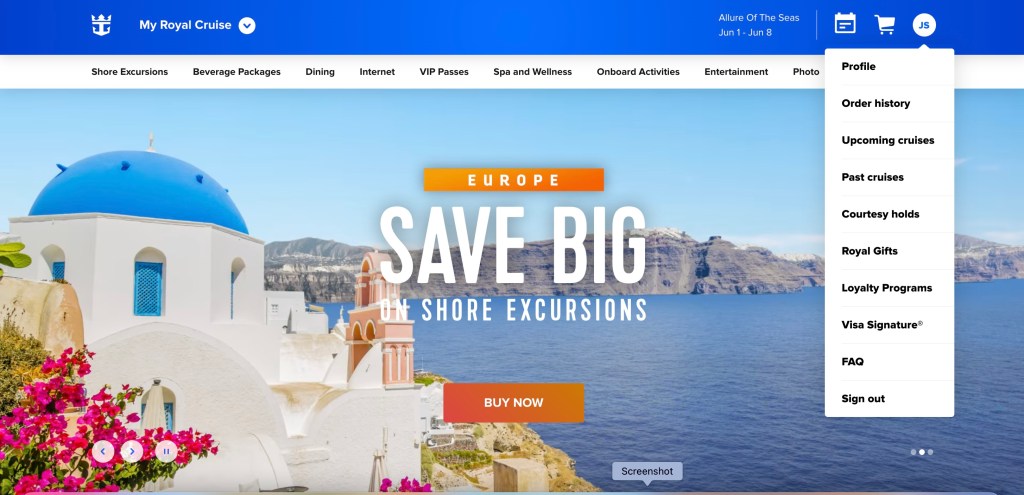
Once you click on the Order History, you’ll see all the purchases you’ve already made. If you click on “View Details” for each purchase, you’ll see what you paid for them.
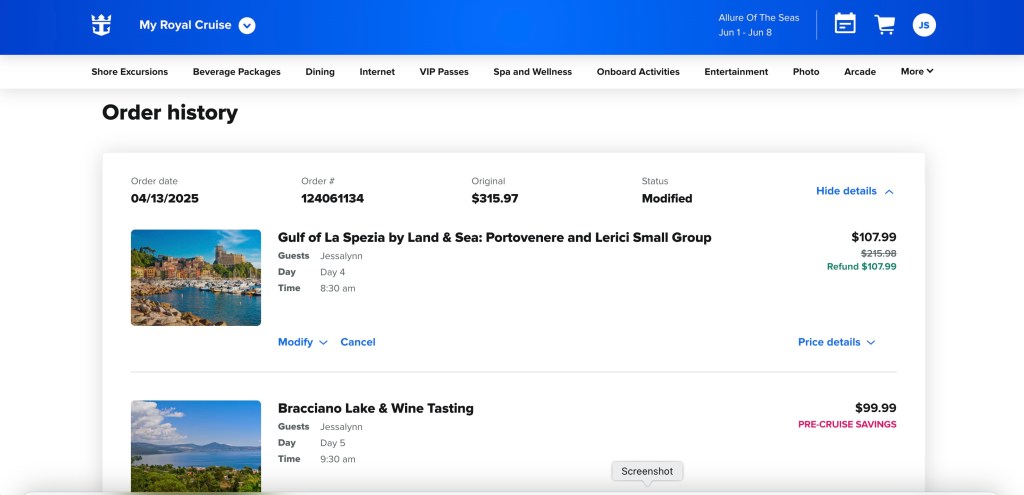
If the price on the current sale is lower, all you have to do is click “Cancel” and cancel your first purchase. Once you’ve gone through that process, you want to immediately go back to the Cruise Planner and make the purchase at the lower price.
Remember that sites like RoyalPriceTracker can help you track the cost of your cruise planner items, so you can make sure you’re getting the best deal.
That’s how easy it is! Cheers!
 Let's Book Your Cruise Blog
Leave a comment